
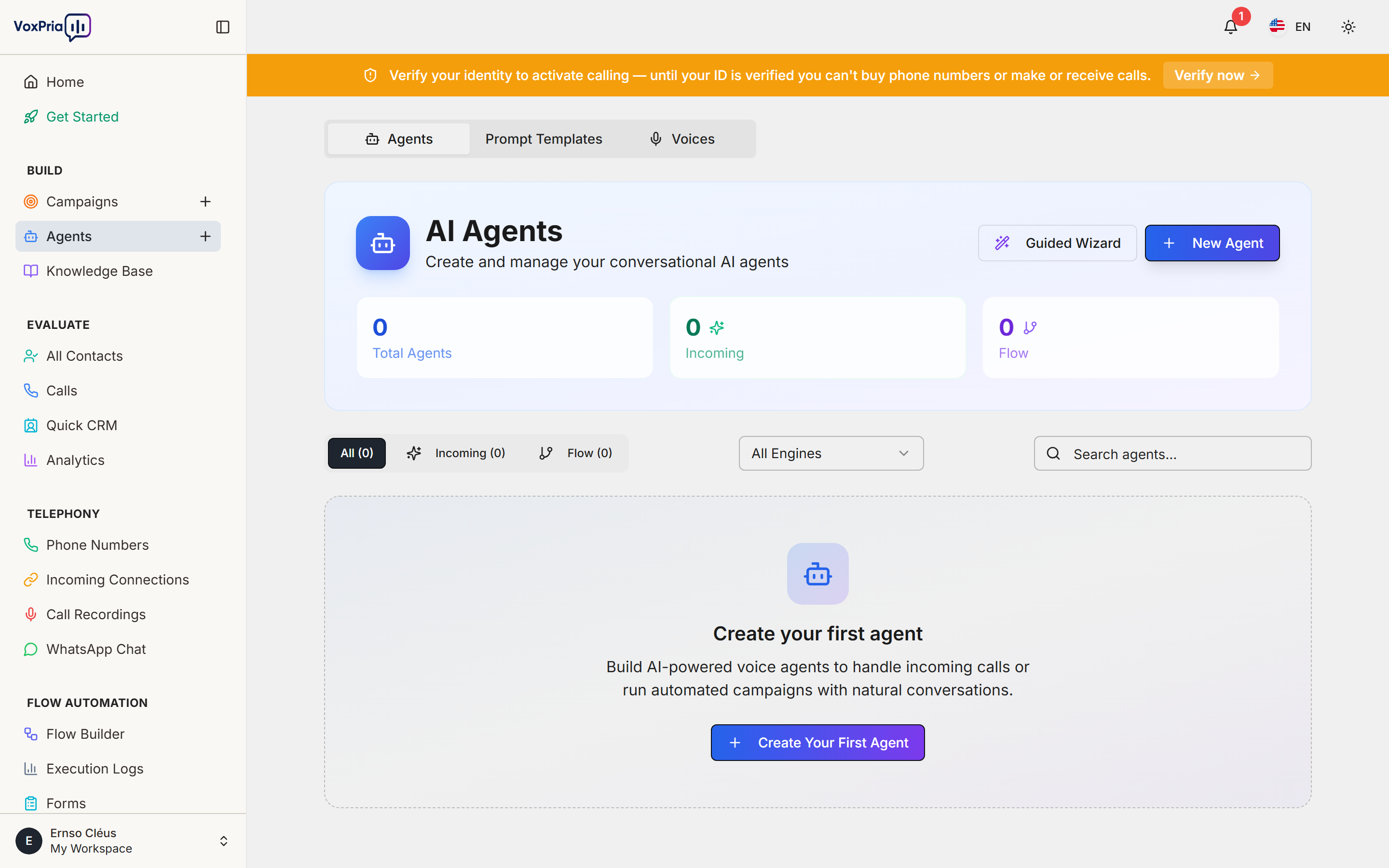
Voice agents are AI-powered assistants that can conduct natural conversations with your customers over the phone. Moreover, they work 24/7, never get tired, and can handle unlimited conversations simultaneously. In this guide, we’ll explain everything you need to know about voice agents.
Understanding Voice Agents #
A Voice Agent is essentially an AI assistant that uses natural language processing to understand what people say and respond appropriately. Additionally, agents can be customized for specific tasks and industries.
How Voice Agents Work #
- Listen – The agent hears what the caller says
- Understand – AI processes the speech and extracts meaning
- Think – Agent determines the best response based on training
- Respond – Agent speaks back in natural-sounding voice
- Act – Agent takes actions like scheduling, recording info, or transferring calls
Learn more about conversational AI technology.
What Can Voice Agents Do? #
Voice agents in VoxPria can perform many tasks. Furthermore, their capabilities expand as you train them with more information:
Common Use Cases #
- Appointment Reminders – Confirm, reschedule, or cancel appointments
- Customer Support – Answer FAQs and provide information
- Lead Qualification – Ask qualifying questions and gather information
- Survey Calls – Conduct phone surveys and collect feedback
- Payment Reminders – Remind customers about due payments
- Event Notifications – Inform people about upcoming events
Types of Voice Agents #
VoxPria offers different agent types for various scenarios. Therefore, choosing the right type ensures optimal performance:
1. Outbound Agents #
These agents make calls to your contact list. Additionally, they’re perfect for:
- Mass notifications
- Appointment reminders
- Marketing campaigns
- Survey calls
2. Inbound Agents #
These agents answer incoming calls. Moreover, they can:
- Handle customer inquiries 24/7
- Route calls to the right department
- Collect information before transfer
- Provide automated support
3. Hybrid Agents #
These agents handle both inbound and outbound calls. Consequently, they offer maximum flexibility.
Key Features of VoxPria Agents #
VoxPria agents come with powerful features. Furthermore, these features make them effective and reliable:
- Natural Conversations – Agents sound human and understand context
- Multi-Language Support – Speak in 40+ languages and accents
- Interrupt Handling – Can handle when people interrupt or talk over them
- Sentiment Detection – Understand if caller is happy, frustrated, or confused
- Smart Routing – Transfer to humans when needed
- Data Collection – Capture and store information from conversations
- Integration Ready – Connect to CRM, calendars, and databases
Training Your Agent #
The more you train your agent, the better it performs. Additionally, training is simple and doesn’t require technical skills:
Training Methods #
- Knowledge Base – Upload FAQs, product info, policies
- Conversation Scripts – Provide example conversations
- Intent Training – Teach agent to recognize different requests
- Response Templates – Create responses for common scenarios
Access training by going to BUILD → Agents → [Select Agent] → Training
Agent vs. Human: When to Use Each #
Agents work best for specific scenarios. However, humans are still better for others:
Best for Agents: #
- ✅ Repetitive tasks
- ✅ High-volume calling
- ✅ After-hours support
- ✅ Simple inquiries
- ✅ Data collection
Best for Humans: #
- Complex problem-solving
- Emotional situations
- Sales negotiations
- Complaints and escalations
💡 Pro Tip: Use agents for initial screening, then transfer complex cases to humans. This maximizes efficiency while maintaining quality.
Getting Started with Agents #
Ready to create your first agent? Follow these next steps:
- Read our Creating a New Agent guide
- Choose an agent template
- Customize for your use case
- Train with your knowledge base
- Test thoroughly before launching
Related Articles:


